
Home / Ordering
Ordering with RizzitGO, from search to receipt
Seven steps in the official guide’s order. The nine images are RizzitGO’s public interface examples, not our account or a personal buying test.
Set up the order before the first payment
Use RizzitGO’s official site to register or sign in. Read the terms shown there and keep order communication in the account. Save a copy of the listing and selected option, especially when the seller changes stock or description.
1. Search
Find a listing through the catalogue or a marketplace. The official guide shows two search methods: paste a Taobao, Tmall or 1688 product link, or enter keywords. Before ordering, check the exact variant, size information, seller delivery charge and return eligibility. A ship-from place helps you ask about dispatch; it does not verify the seller or product.
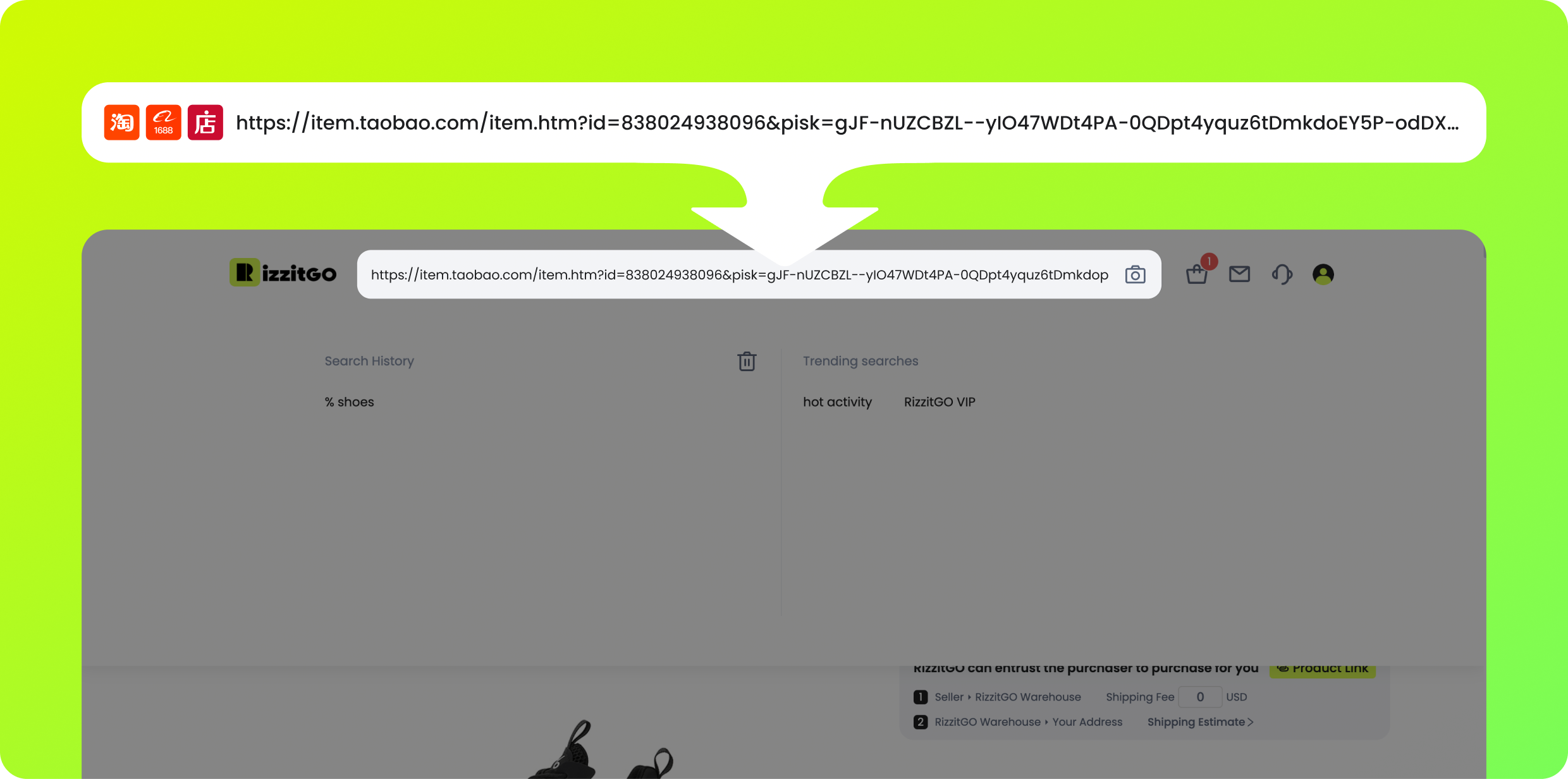
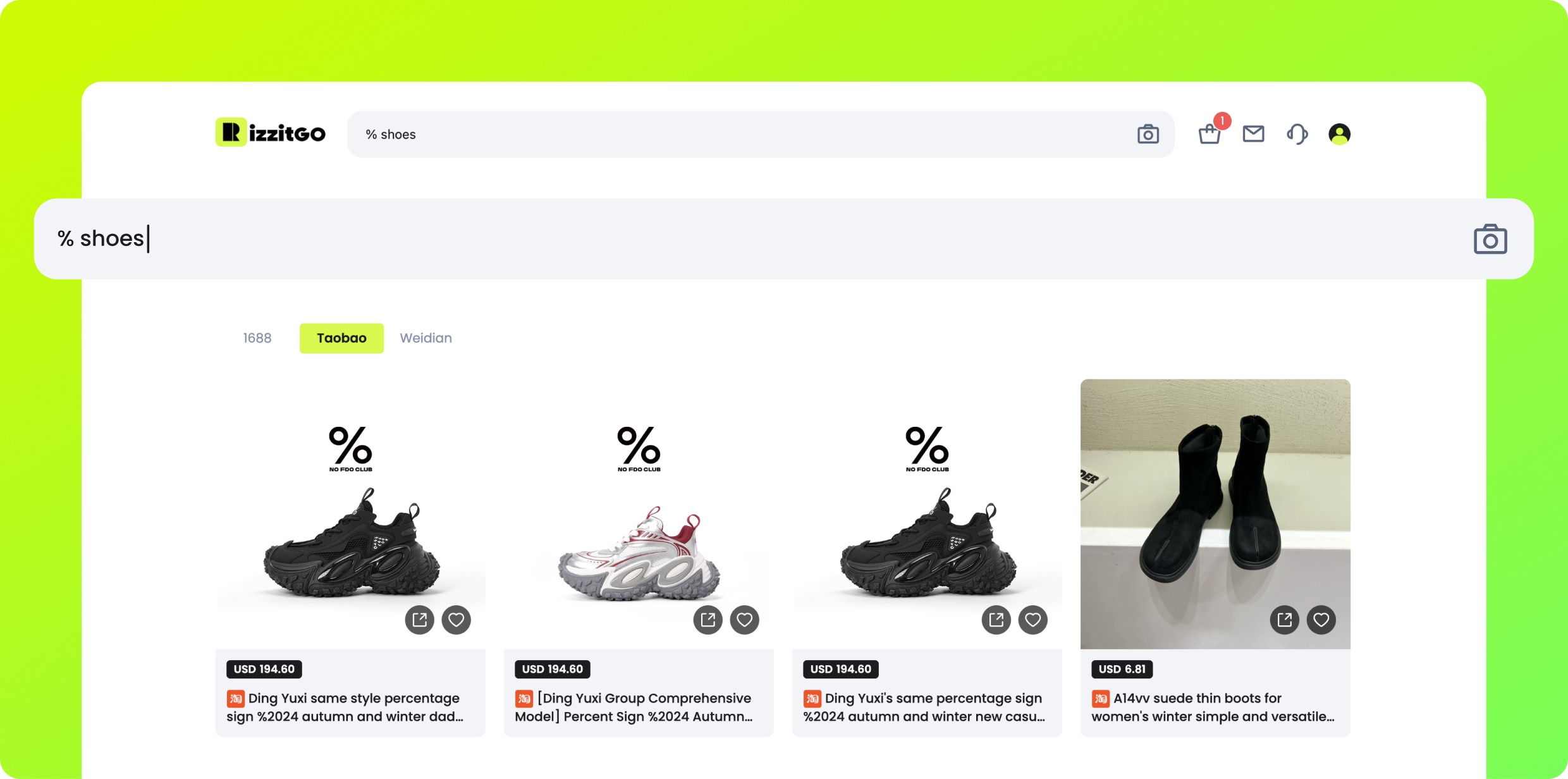
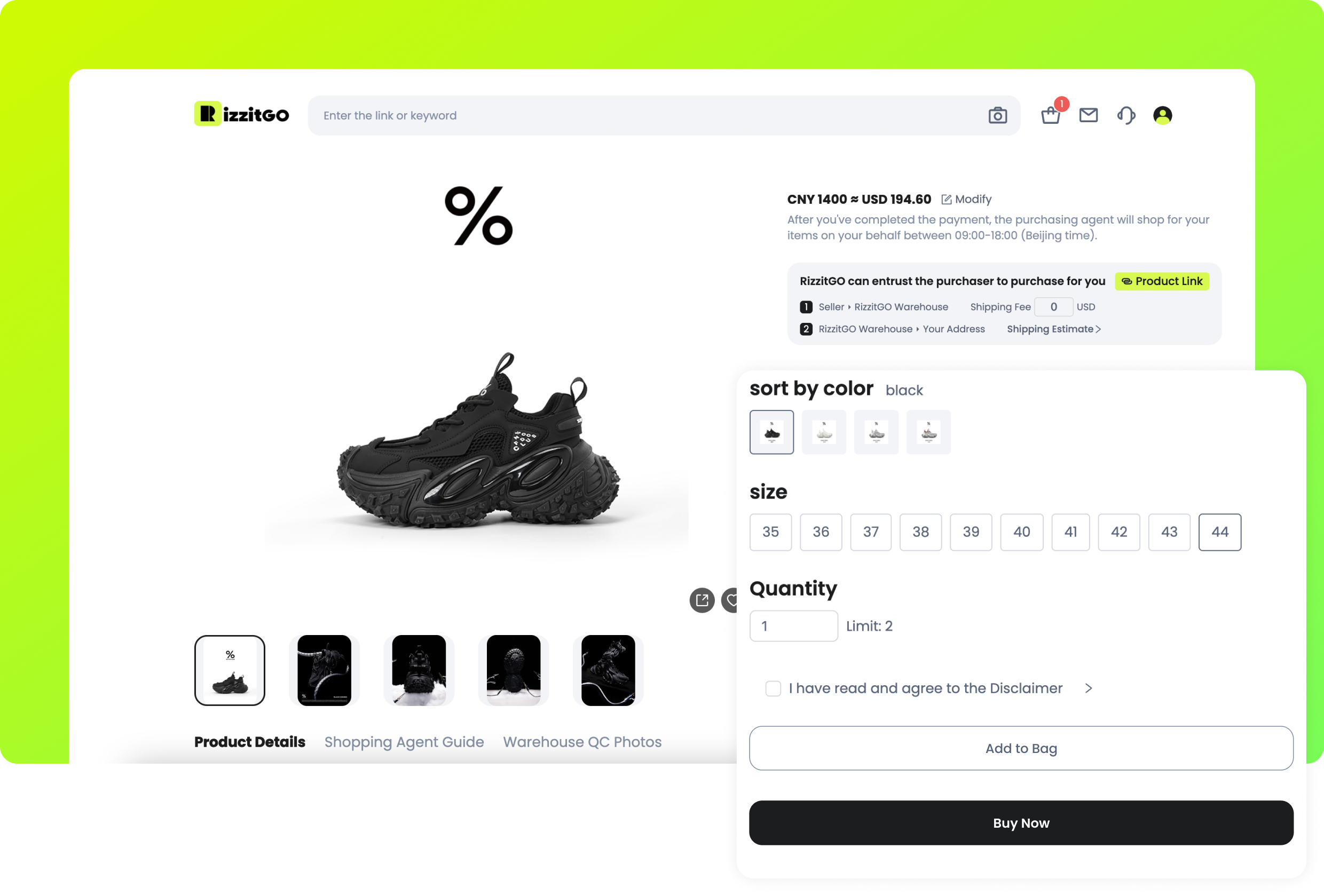
2. Buy & Checkout
Choose colour, size and quantity, then use Add to Bag or Buy Now. Review goods and domestic delivery in the order summary. International freight is a later payment. Check the currency amount and any payment handling fee. The pictured PayPal and Alipay options are historical UI examples: they were absent from the public payment-method list checked on 17 October 2026. Use the options actually offered at your checkout.
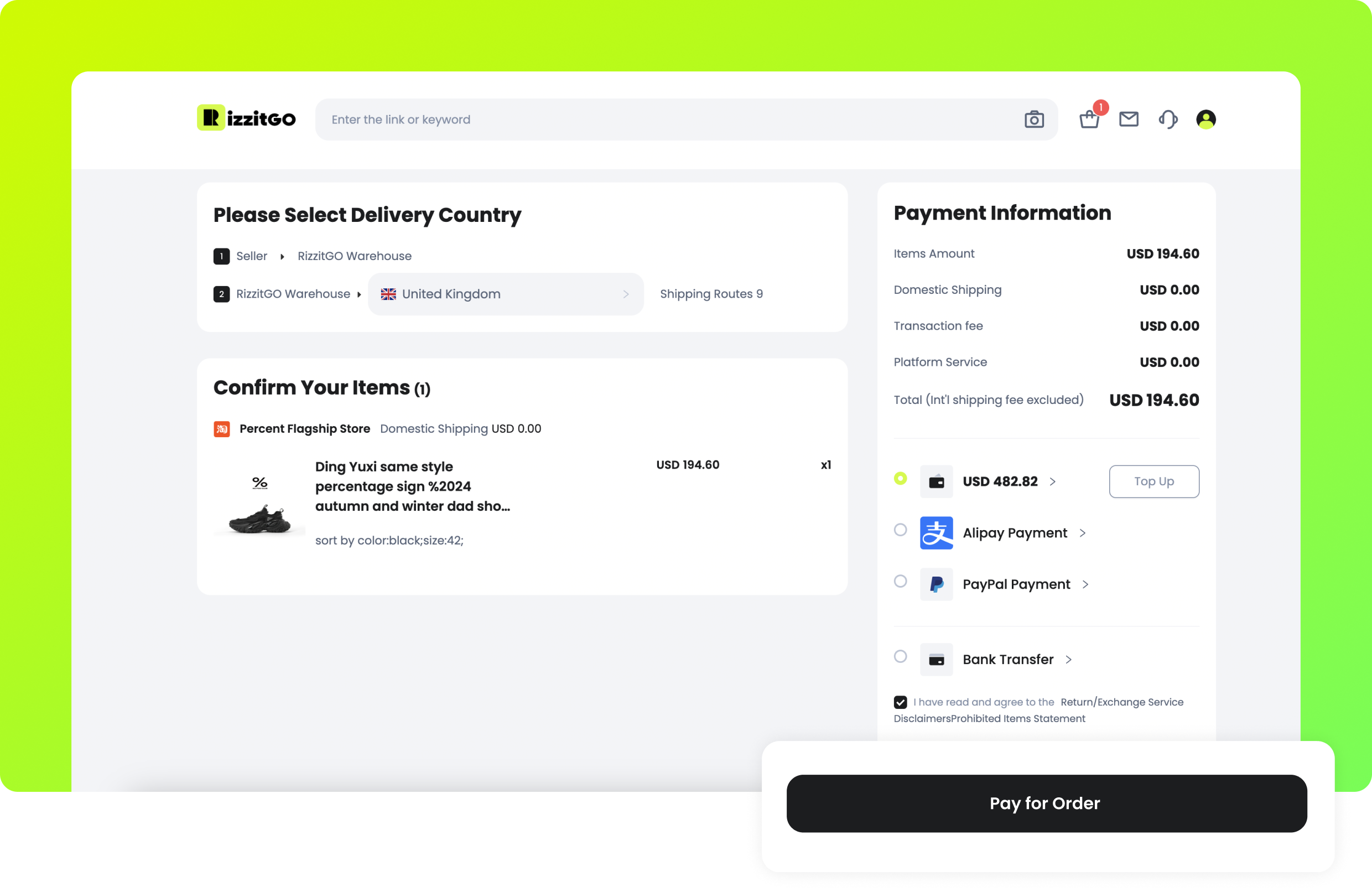
Check a complete request before the first payment
For a pair of jeans, confirm the seller link, selected wash, waist option and quantity in the purchase summary. Compare the measurements with a pair that fits you and save the chart. If a translated option is ambiguous, ask for clarification rather than guessing. A general order note does not necessarily change the variant selected in the form.
The first amount buys the goods and covers the relevant domestic delivery and requested services. A top-up alone is not proof that the order has been paid or placed with the seller. After payment, read the order status and messages; an unavailable option or changed price can need your answer before the purchase proceeds.
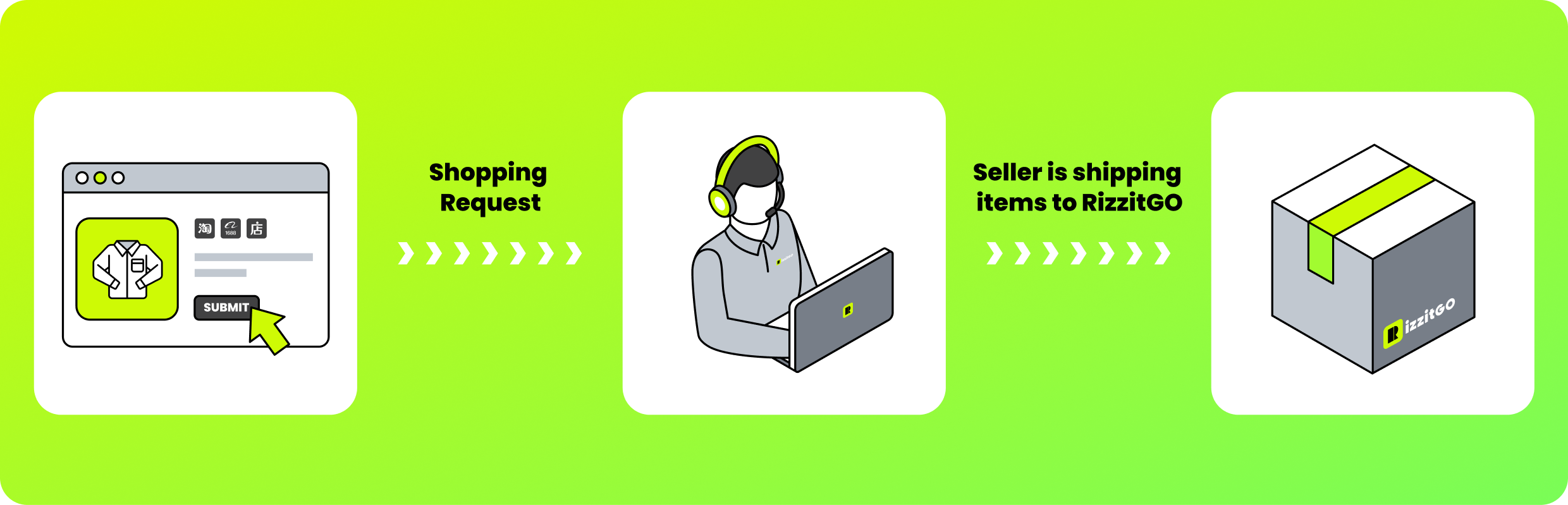
3. Purchase
RizzitGO places the order with the seller. Watch for messages about stock or missing details. During purchasing, the official guide offers order enquiry for communicating with the buying staff. If a seller’s location, material or return answer determines whether you want the item at all, ask official support before payment instead of assuming enquiry can undo a purchase.
4. QC & Storage
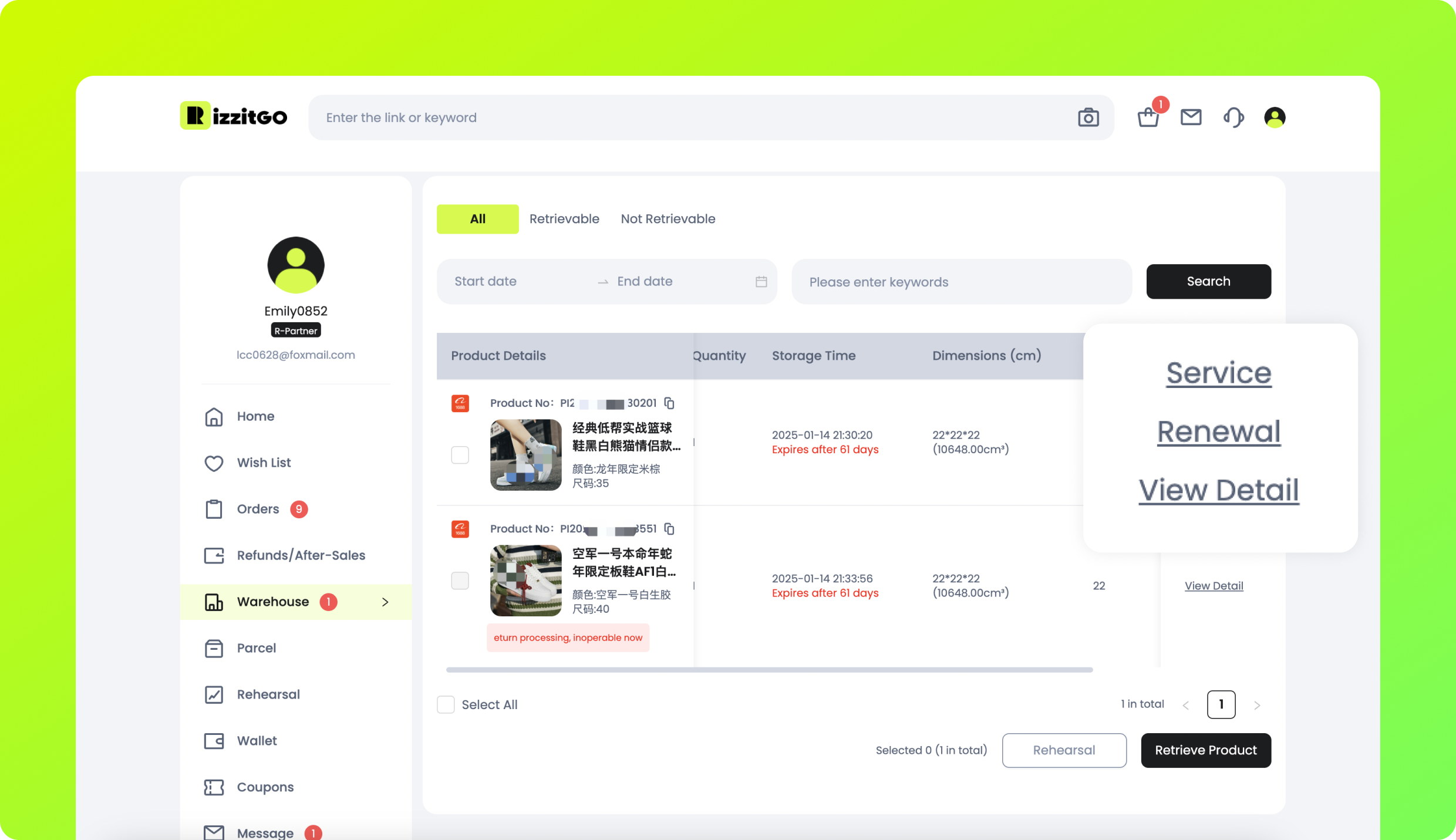
Arrival at the warehouse is the point to review your actual item. Compare the variant, visible defects, size tag and any measurements you requested. Photos are useful evidence, not an authenticity or material test. The guide mentions a different QC standard for 1688 without defining it. Custom photos and removal services cost extra; obtain the price and preserve tags if you may request a return. Ordinary storage is 60 days free, with a paid extension option near expiry.
What you pay, and what you check before paying again
First, allow for the product, delivery within China, payment or conversion costs and any selected buying services. International postage comes later because the final parcel does not exist yet. Leave room in the budget for packing, freight and applicable destination charges; the item price alone cannot tell you the delivered cost.
QC means quality-control photos. Match the stored item to your order: label, measurements, colour, quantity and visible condition. Ask for a readable label or a specified measurement if needed. GL and RL are informal buyer shorthand for accepting or questioning an item; they do not approve a return. Raise a problem through the order record while the applicable seller and agent deadlines still allow action.
5. Retrieve Products
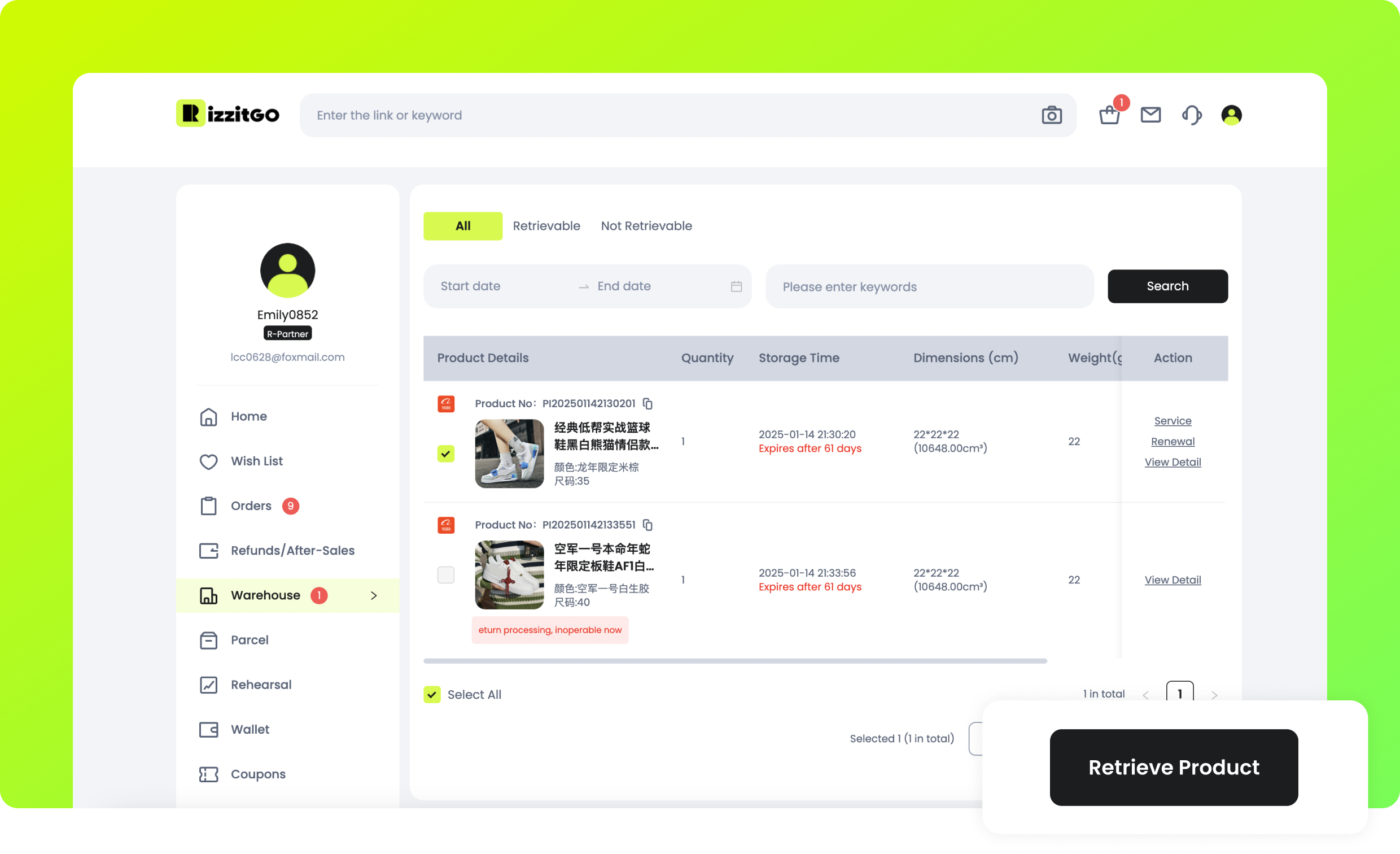
Select ready items in Warehouse and click Retrieve Product. Enter the correct recipient address, review available shipping routes, packaging and optional insurance. Decide whether to wait for another order or ship the items already present. The initial freight payment is estimated; the final carrier weight and dimensions can change the settlement, with the difference handled through the wallet as the guide describes.
Choose the contents, not just the cheapest-looking line
Select only the stored items you intend to send. Check the address, phone details, original packaging and any requested protection before submitting. If a return is still being discussed, leave that item out until the issue is resolved. Retail-box removal, reinforcement and consolidation are separate choices with effects on volume and protection.
Compare a combined parcel with separate submissions when a bulky item or restricted component changes the route options. Use the actual proposed contents, weight and dimensions. A seller’s dispatch town is not an international service level, and the shortest distance on this site’s map cannot establish the best parcel arrangement.
6. Delivery
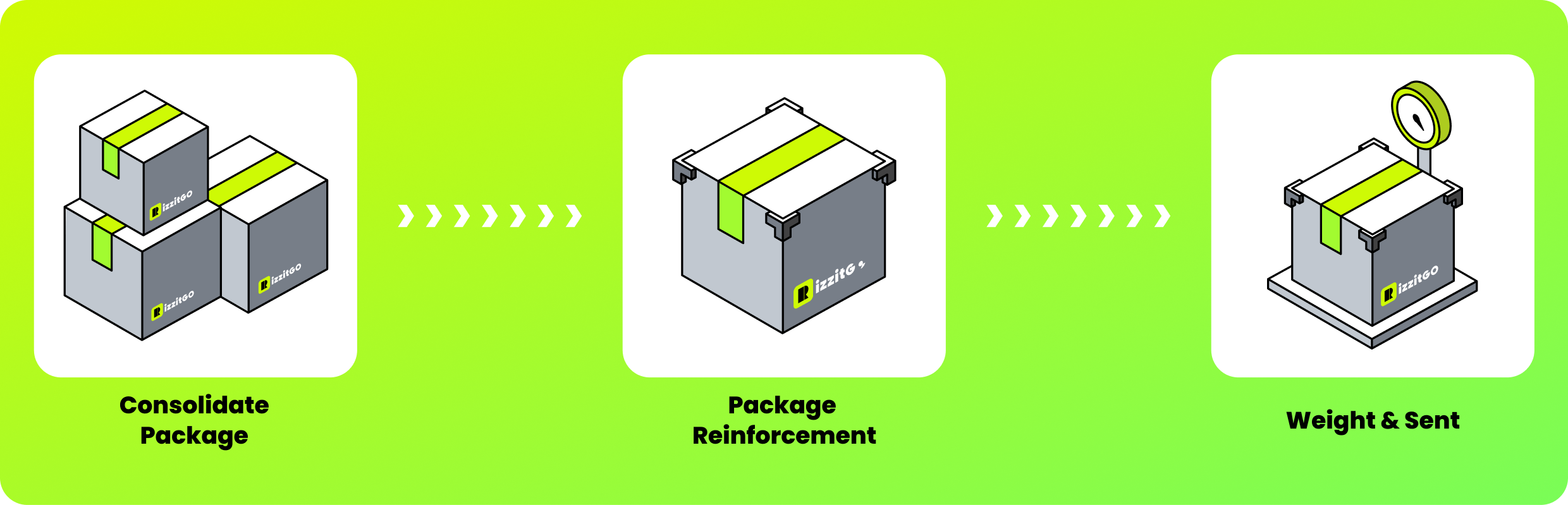
The warehouse consolidates, packs, reinforces, weighs and sends the parcel. Tracking is available in Parcel details. Use the selected route’s conditions and actual tracking events to judge progress. Neither the seller’s distance from Huizhou nor a generic international range fixes the day your parcel will arrive.
Read the final shipment record
Keep the selected line, packed weight, dimensions, services and shipping charge with the parcel number. If an earlier amount was an estimate or deposit, check the settlement rather than assuming the two figures must match. Ask about an unexplained difference using the specific invoice line.
Follow the actual tracking and any request for action. An estimated transit window is not a delivery appointment. A domestic seller shipment, an agent dispatch and a destination-carrier update describe different legs, so do not treat a movement on one record as proof that another stage is complete.
7. Receipt & Shine
Inspect the parcel and its contents after delivery, then confirm receipt in the parcel area. Keep packaging and evidence for any missing or damaged item; the insurance notice requests a complete unboxing video for missing-item claims. Raise a problem promptly through the relevant order or parcel channel. Sharing a haul, shown as the last optional action in the public guide, is separate from after-sales support.
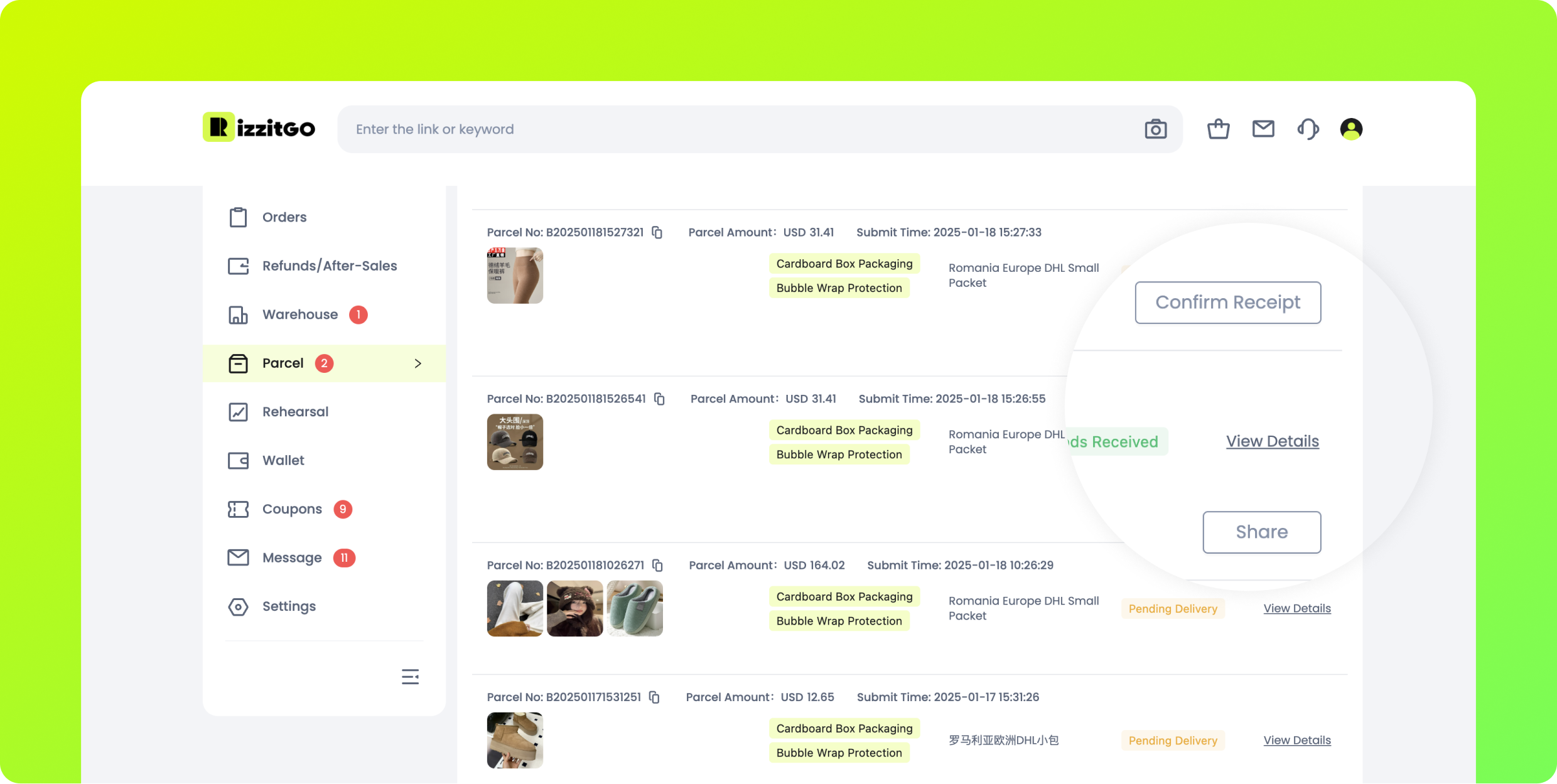
Check receipt before closing the loop
Compare the delivered contents with the parcel list and retain the packaging if there is damage, a shortage or a wrong item. Document the relevant condition promptly and use the appropriate order or parcel support route. An opening record is evidence of what you received, not an automatic compensation decision.
Confirm receipt only after making the checks relevant to your order. Any optional public sharing is a separate decision; remove addresses and personal identifiers from public copies. Keep original evidence for support and check the applicable reporting conditions rather than waiting for a social-media response.
The next useful checks
Fees, warehouse decisions and insurance explain what the item price leaves out. The cross-border listing guide covers cases requiring confirmation before buying. For an account issue, use official support contacts.
Source: official How It Works, text recorded 17 October 2026; all nine images fetched again on 18 October. Displayed account details, prices, products, dates and routes are public examples, not current offers or this site’s orders.